INTERACTIVE DISPLAY · PRODUCT EXPLORER · CRUX RETAIL
YellaWood
An interactive in-store experience that helps shoppers explore YellaWood products, discover project inspiration, and learn what they can build.

An interactive in-store experience that helps shoppers explore YellaWood products, discover project inspiration, and learn what they can build.
YellaWood is a well-known brand in the treated lumber space, but in-store shoppers often struggled to understand the full range of products available and how those materials could be used in real projects. The existing experience relied heavily on static signage and brochures, which made it harder for customers to explore options on their own.
The goal was to bridge that gap with an interactive display that could educate, inspire, and guide users through YellaWood's product ecosystem in a way that felt simple and approachable on a small screen.
Design an interactive experience that increases users' product awareness and knowledge. Using the website as a starting point, organize the content in a way that's easy for users to engage with and understand on a small screen.
The key objectives for this project are:
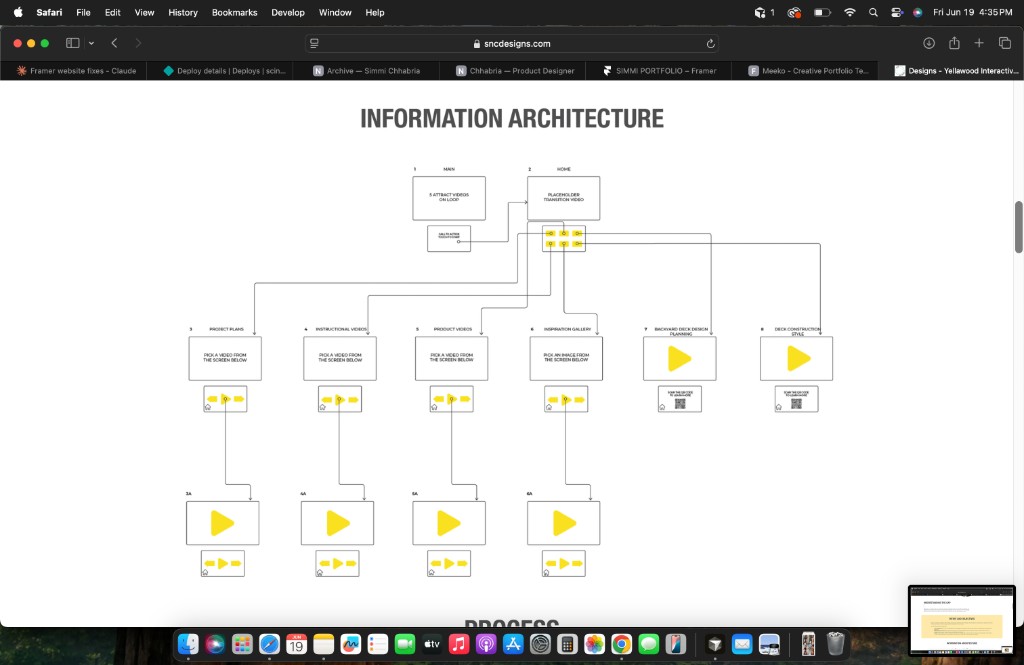
The experience was structured around a dual-screen setup: a static top screen for attraction and prompts, and a touch screen below for navigation. Content flows from a looping attract loop into a home menu, then branches into video carousels, an image gallery, or QR-driven deck content.
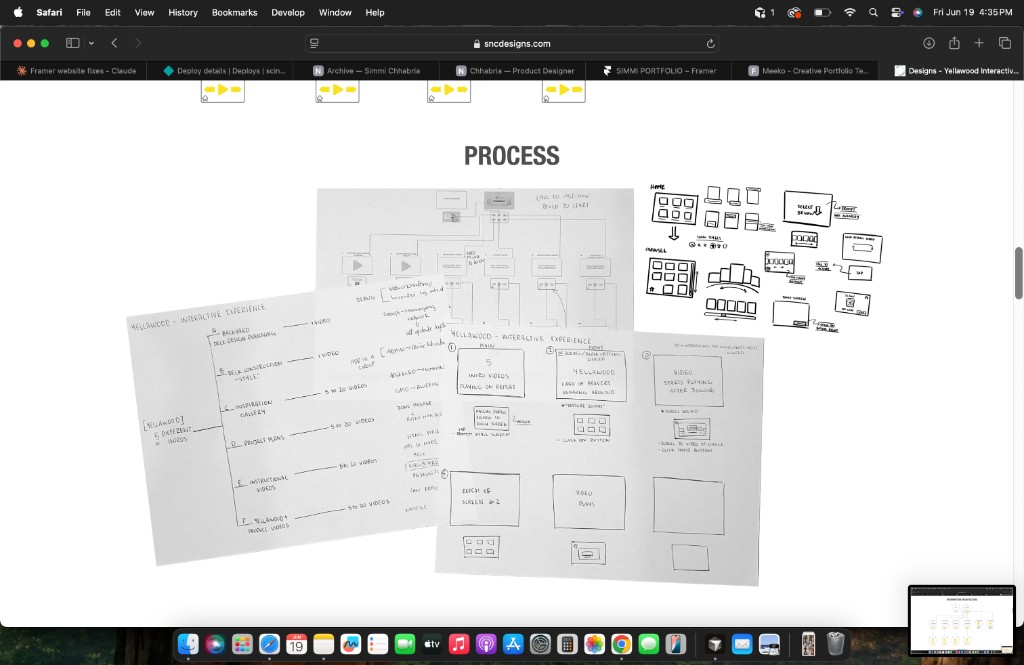
I started by mapping the full user journey on paper — sketching screen flows, content categories, and how the top and bottom screens would work together. This helped define the six-button home structure and the content each path would surface before moving into digital prototyping.
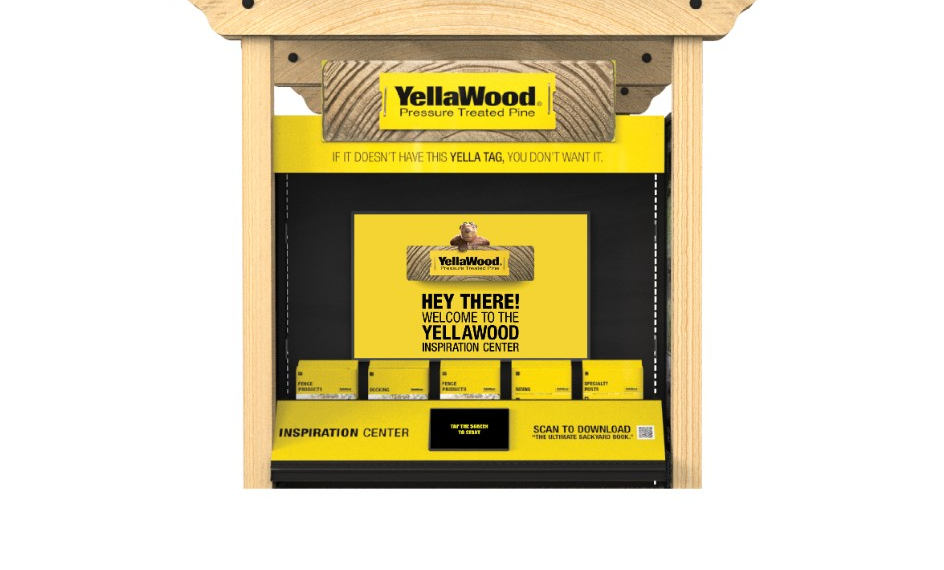
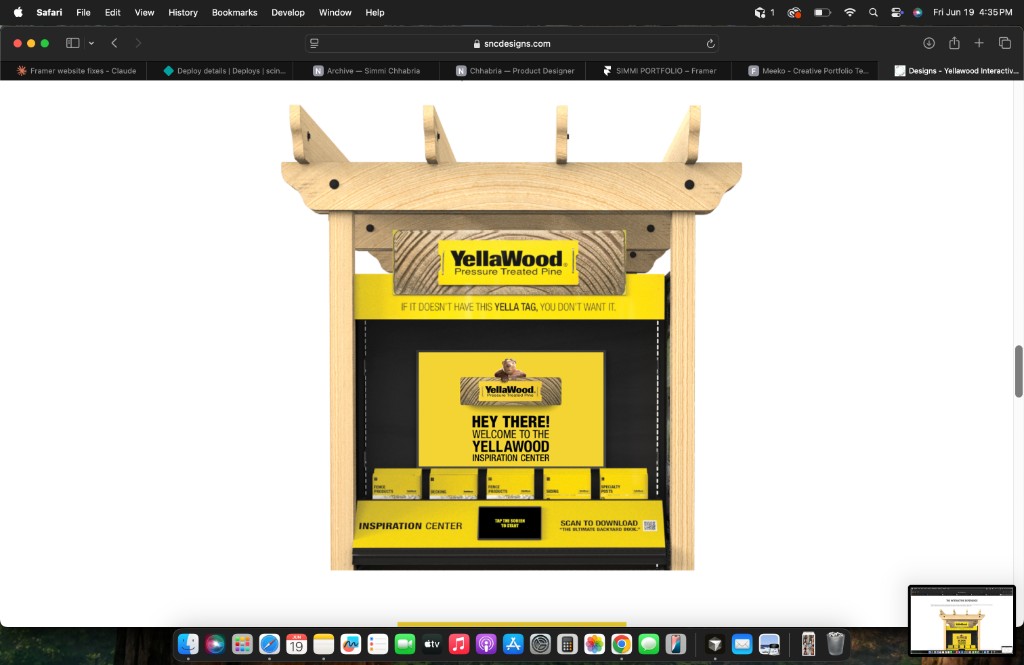
A dual-screen setup built into the inspiration center — looping video up top, touch navigation below, and take-home brochures in between.
The interactive display was built in BrightAuthor, with two separate experiences — one for the touch screen and one for the static screen — connected through triggers. This allowed the top screen to respond dynamically as users navigated content below, including video loops, prompts, and timeout states.
Each section of the interface was designed to keep navigation obvious, content scannable, and the dual-screen relationship clear — so users always knew what to do next.
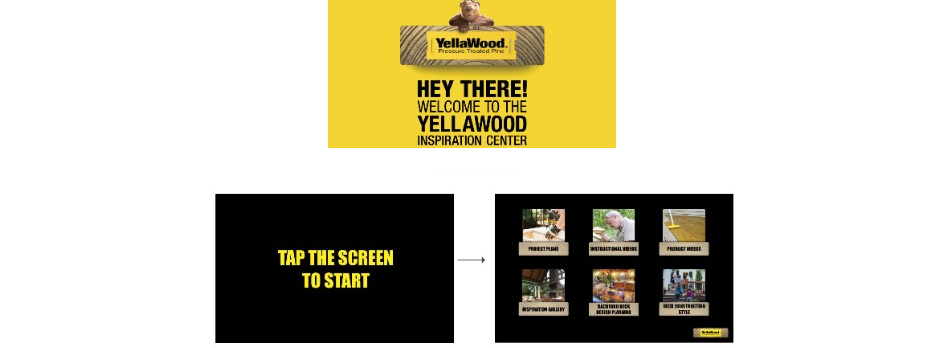
An attract loop on the top screen draws people in; tapping to start on the bottom opens a six-category home menu.
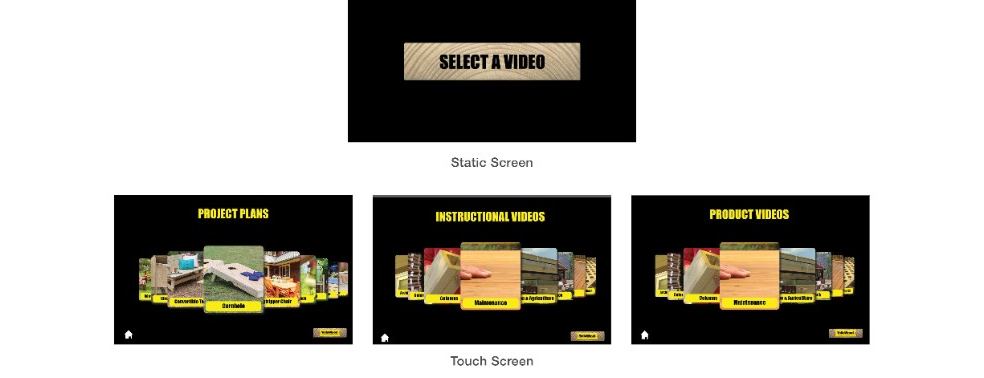
Project plans, instructional videos, and product videos each open their own carousel — the top screen prompts users to pick a video. After two minutes of inactivity, the experience resets.
The inspiration gallery surfaces ~60 project photos in a carousel; selecting one enlarges it on the top screen.

The two decking paths use QR codes to send shoppers to deeper content on YellaWood.com — with supporting video on the top screen in the meantime.

The final YellaWood Inspiration Center gives shoppers a hands-on way to explore products, watch project content, browse inspiration, and take next steps — all within a modular retail display designed for real in-store use. By organizing complex product information into a clear, touch-driven flow, the experience helps customers feel more confident about what YellaWood offers and what they can build with it.